> For the complete documentation index, see [llms.txt](https://docs.reefcloud.ai/llms.txt). Markdown versions of documentation pages are available by appending `.md` to page URLs; this page is available as [Markdown](https://docs.reefcloud.ai/get-started/sign-up.md).
# Sign up

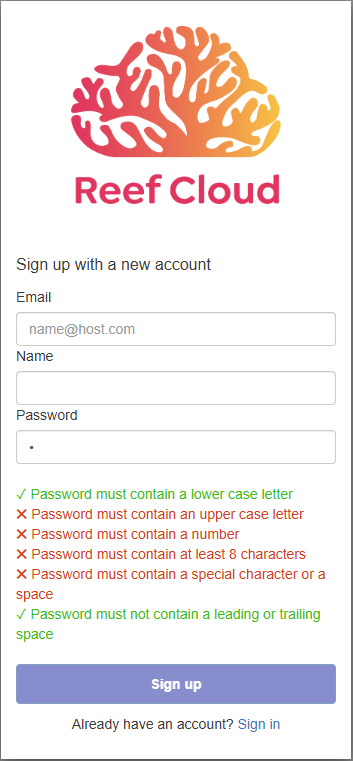
* Sign up for an account at [reefcloud.ai](https://reefcloud.ai) and click “Login to Data Portal”. If you already have an account, enter your username and password to sign in. Otherwise, click “Sign up” for a new account.
* Enter your email and name .
* Create a password. Note your password must contain at least:
* One lower case letter.
* One upper case letter.
* One number.
* Eight (8) characters in total.
* One special character or a space
* Not contain a leading or trailing space
After signing up you will receive a confirmation email to verify your new account.
If you forget your password for ReefCloud, click the “Forgot your password?” prompt and enter your email address. We will send a message to your registered email address to reset your password.
{% embed url="" %}
Two minute video tutorial in how to create a new user account in ReefCloud.
{% endembed %}